A doc with name: in its frontmatter is a skill, and now carries a solid Install button pinned top-right of the document. It hands you /skilldocs:add <url> for the plugin, an MCP-only prompt for other agents, or the path to save by hand — and says which routes carry update notices (only the plugin; the listener is a Claude Code hook). ⋯ → Make this a skill… writes the frontmatter for you, suggests a name from the title, and warns when another doc already claims it.
A doc imported from a connected repo shows the Octocat beside its title, linking to the file; ⋯ → View on GitHub does the same; a repo’s folder view links the repo. A doc that arrived another way can say where it lives with ⋯ → Link to GitHub… — stored as the weaker claim it is, so a merely-linked doc doesn’t grow an update-from-GitHub button it can’t honour.
“Only I can edit.” A doc can be locked to one person. That’s separate from who can open it, which is the point: a skill anyone may read and discuss, that only its author changes. Comments stay open to everyone. The pane label reads locked in the comment amber. It’s enforced on every path a write can enter — keystrokes, agent pushes, the API, versions, and the realtime relay, which hands a locked-out peer a read-only socket — because a lock that only greys out a menu is decoration.
Setup points at the public plugin repo, rajivayyangar/skilldocs-plugin
Link previews in Slack and iMessage, with a line written by Claude
Paste a doc link and the card shows the doc’s title, a one-line description and a thumbnail — instead of “SkillDocs — Collaborative markdown…” for every doc, which is what every link used to unfurl to.
Framework doc: assess software buoyancy as models improve
A link to the is-it-buoyant skill as Slack unfurls it. The title is the doc’s; the line under it is Claude’s, written from the doc’s text. Drawn here from the real preview data in Slack’s layout, rather than screenshotted.
The line is identification, not a summary — a few distinctive words that say which doc this is, the way a phone’s message preview does. A small model writes it once per version of the text, from the opening and the headings, and it’s cached. The thumbnail is the doc’s first image, else the mark. Previews work for private docs on purpose: anyone holding a link learns a doc’s title and gist, never its text.
Add it to your home screen and you get the mark, named skilldocs, opening without browser chrome — not a grey letter tile
Presenting a doc
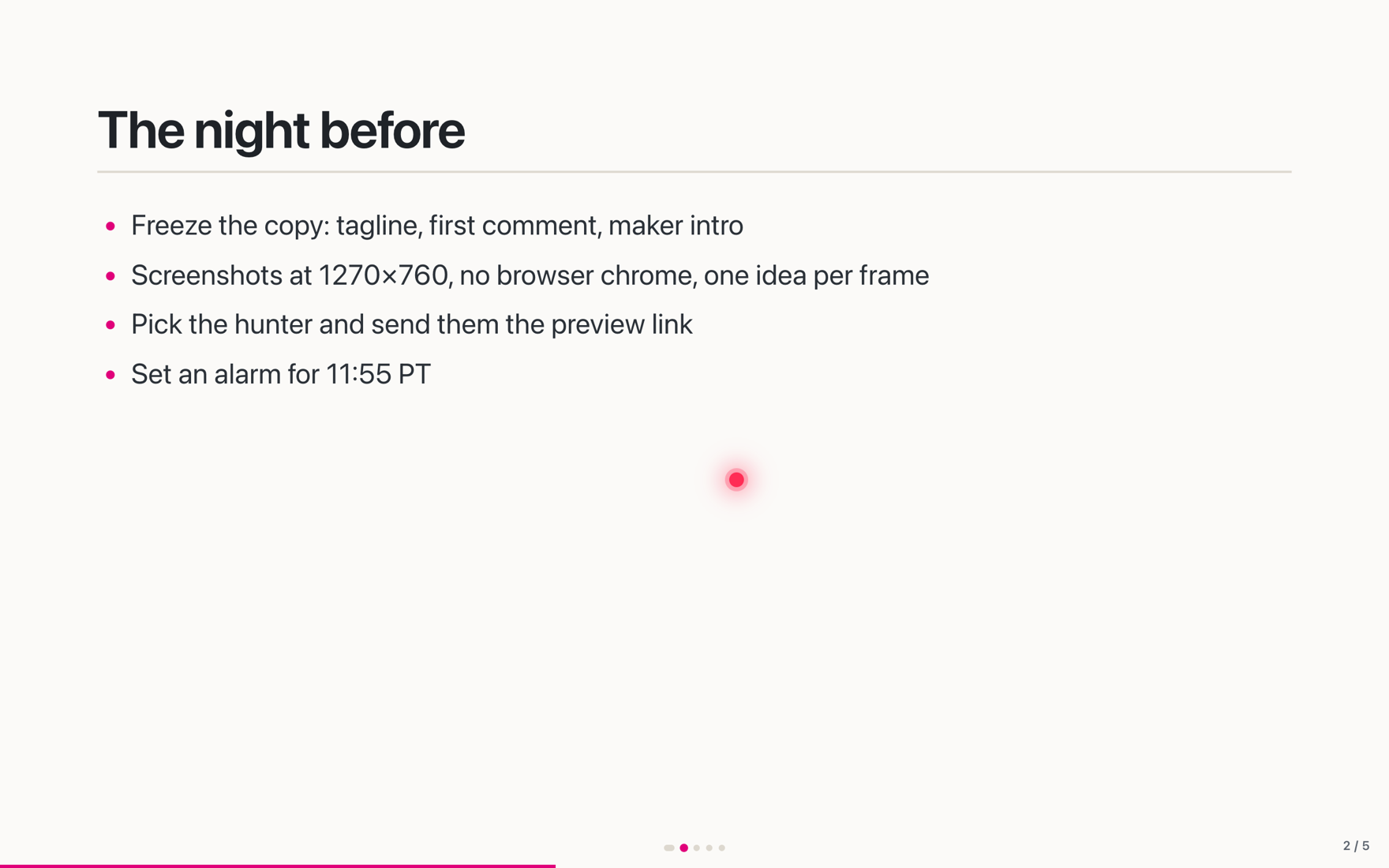
Press ▶ Present (or ⌥⌘P, or ⌘K → Present) and the document becomes screens: every H1–H3 starts one, --- continues one, and a > Notes: quote stays off stage. Arrows step screens, Space reads on like a doc, Esc drops you back on the section you were showing. The stage renders the live text, so an edit mid-meeting lands on the slide.
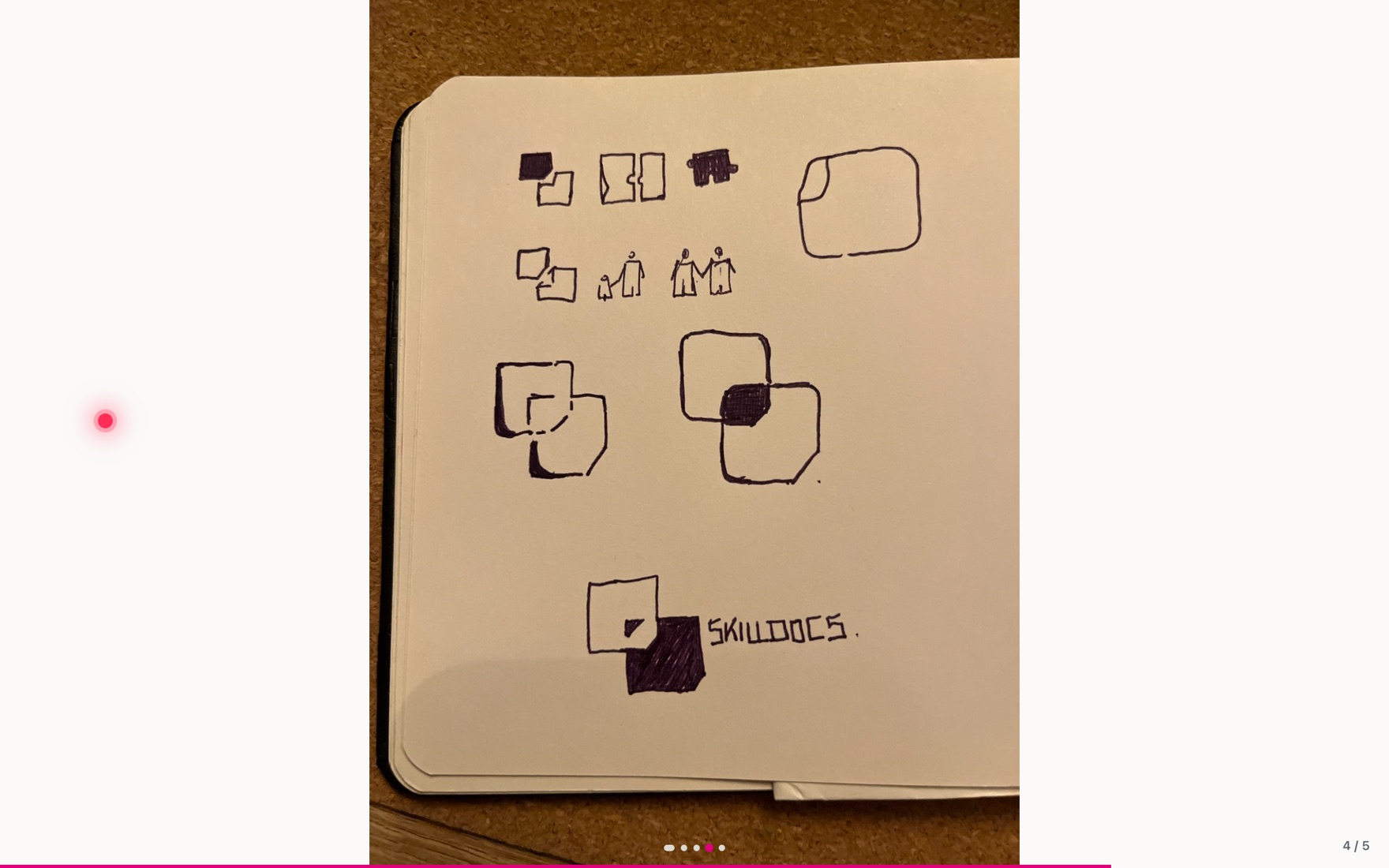
A screen per heading, with the presenter’s laser dot. Everyone sees the same wrap: the stage is one fixed canvas scaled to fit.Click any picture to fill the window; → and ← walk from picture to picture and hand back to the text.
It’s built on follow mode. The presenter publishes what they’re showing; anyone following rides onto the stage, steps with them, and drops back into the doc — still following — when they leave. A ?follow= link attaches whoever opens it, so Slack the link before the meeting and people land in the presentation when they click. A standing “X is presenting · Watch” pill lets anyone who detached rejoin, and a click splashes on every stage looking at that screen.
Markdown editor improvements
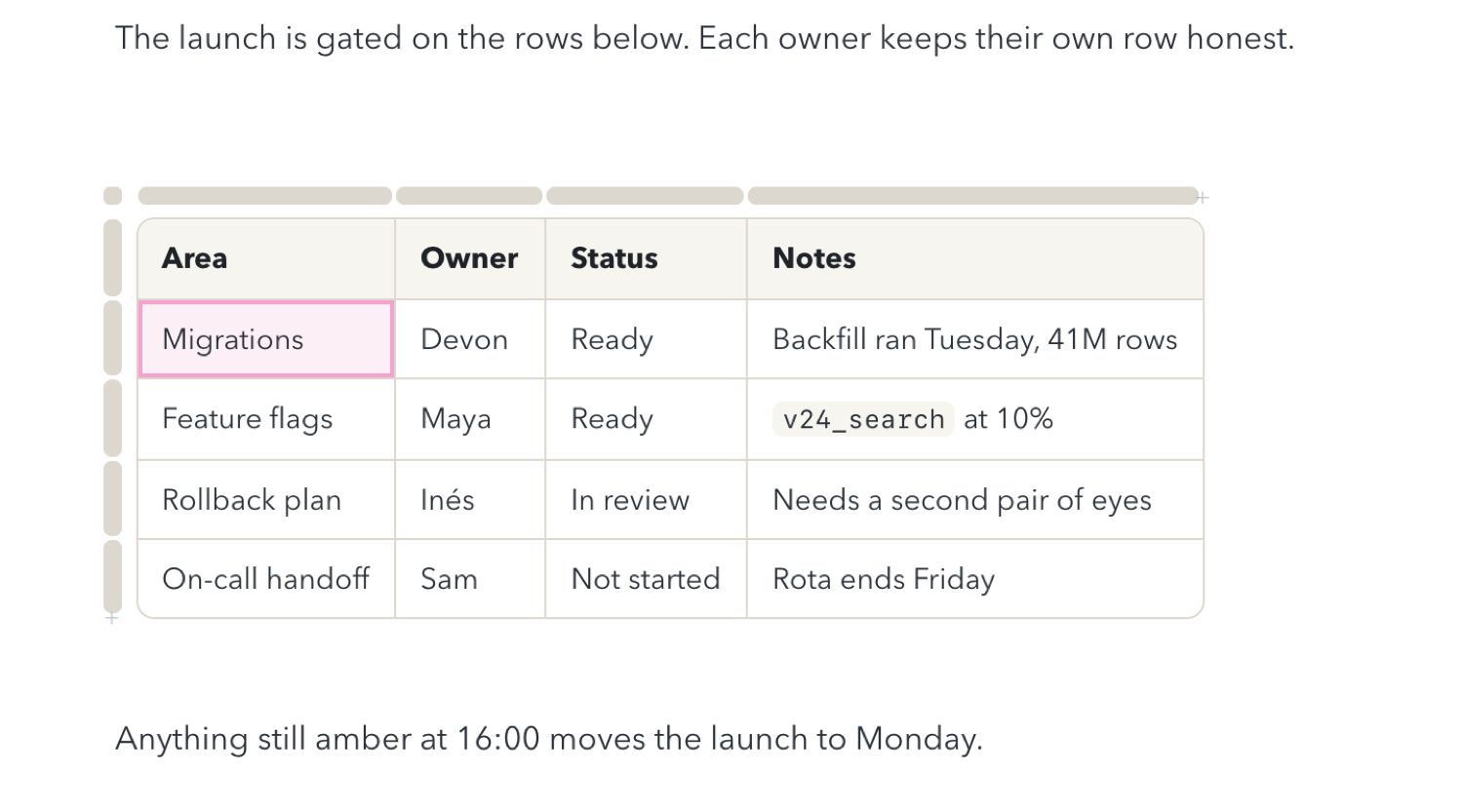
Hover the border between two columns in a table and a grip appears; drag it. The border trades width between its two neighbours, so the table keeps its width — drag the table’s right edge to make it wider. Widths are shared, so everyone sees the same layout, and the + in the rail above still inserts a column between two others.
GFM has nowhere to put a column width. Widths ride on an HTML comment on the line above the table — <!-- widths: 30 70 --> — invisible on GitHub and in any other renderer, hidden under the table in the preview, and kept in step when you add, delete, move or duplicate a column. The corner menu has Reset column widths.
Rename a doc by clicking its title; copied links keep working
Dark mode: a readable selection band, a comment chip that isn’t a white flash, primary buttons that pass contrast
Bug fixes
The Comment chip no longer disappears. It used to vanish if anything scrolled while your selection stood — the rail lining up a card, following someone, an image settling — and the only way back was to select again. It now moves with the selection and hides only once the selection is off-screen. An abandoned empty comment box also used to silently block every later chip; now only one you’ve typed into does
Two people in one table cell no longer lose each other’s edits — the cell holding your caret took a peer’s text as its own, then your next keystroke wrote the stale copy back over theirs
The plugin ships the listener that actually reports “a newer version exists”. The bundled copy had drifted two versions behind and sent no content hash, so update notices had quietly stopped
Dark mode’s selection band was CodeMirror’s light-theme lavender, and text under it went unreadable
24 – 27 Aug
Improved tables, focus mode, dark theme
Tables became a live grid
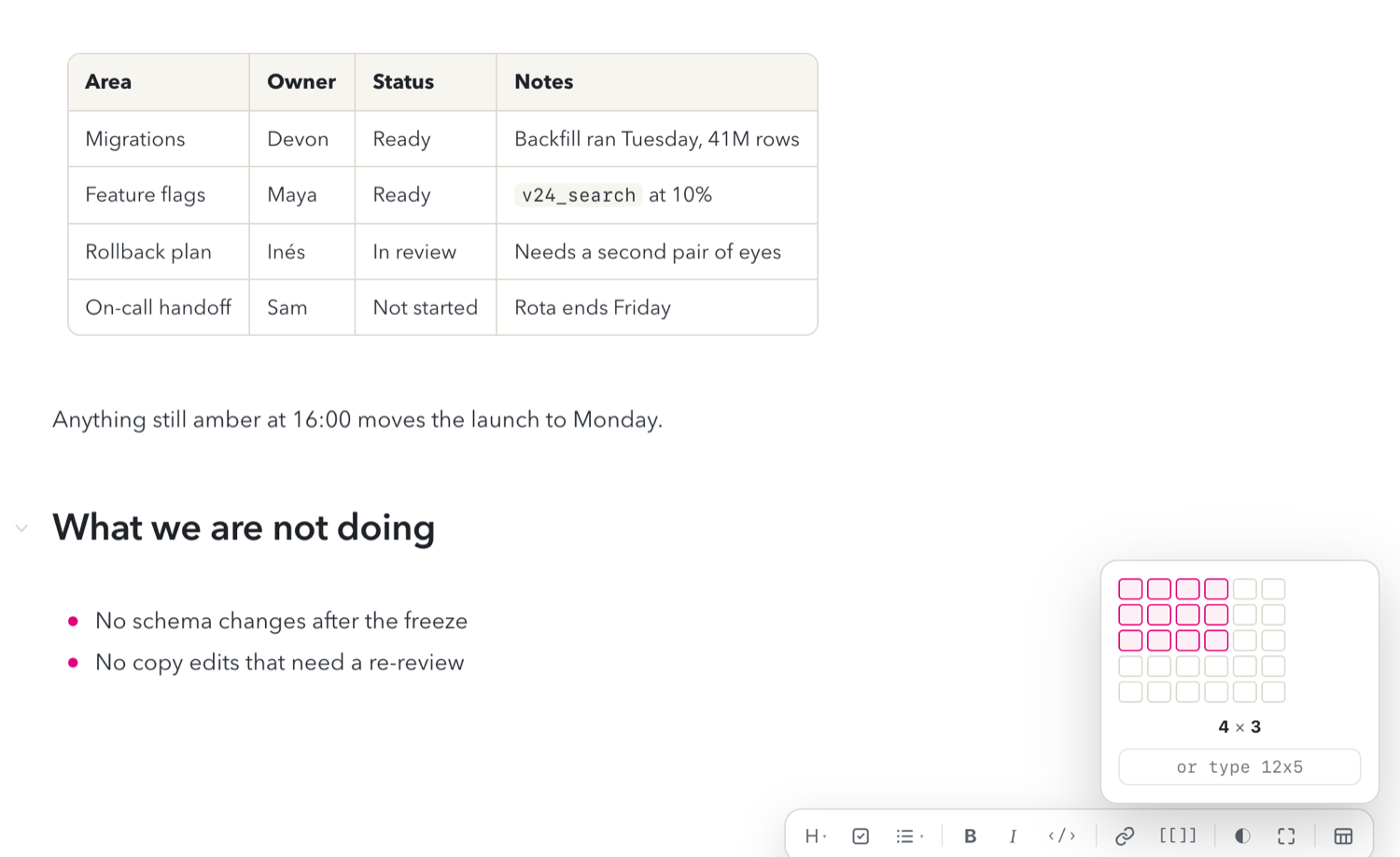
A GFM table used to render as a read-only picture that unrendered into pipe soup the moment you put a caret in it — to change one cell you lost the picture of the table you were editing. Now the rendered table is the editor.
The buffer stays plain GFM the whole time. Every gesture is an ordinary editor transaction, so live sync, undo, version diffs and comment pins keep working with no special cases, and the Mono view still shows a pipe table you could have typed by hand.
Drag or click across the grid to size a table before it lands — or type 12x5.A caret in a cell brings up row and column rails: drag to reorder, + in any gap to insert.
Cells are editable in place — the focused cell reveals its own raw markdown, and nothing else does
Alignment travels with a moved column, and the corner handle holds header, delete and Copy Table As
Comments anchor per cell — a pin is a character range and a cell is a character range, so a threaded comment on a cell behaves like any other
A command palette on ⌘K
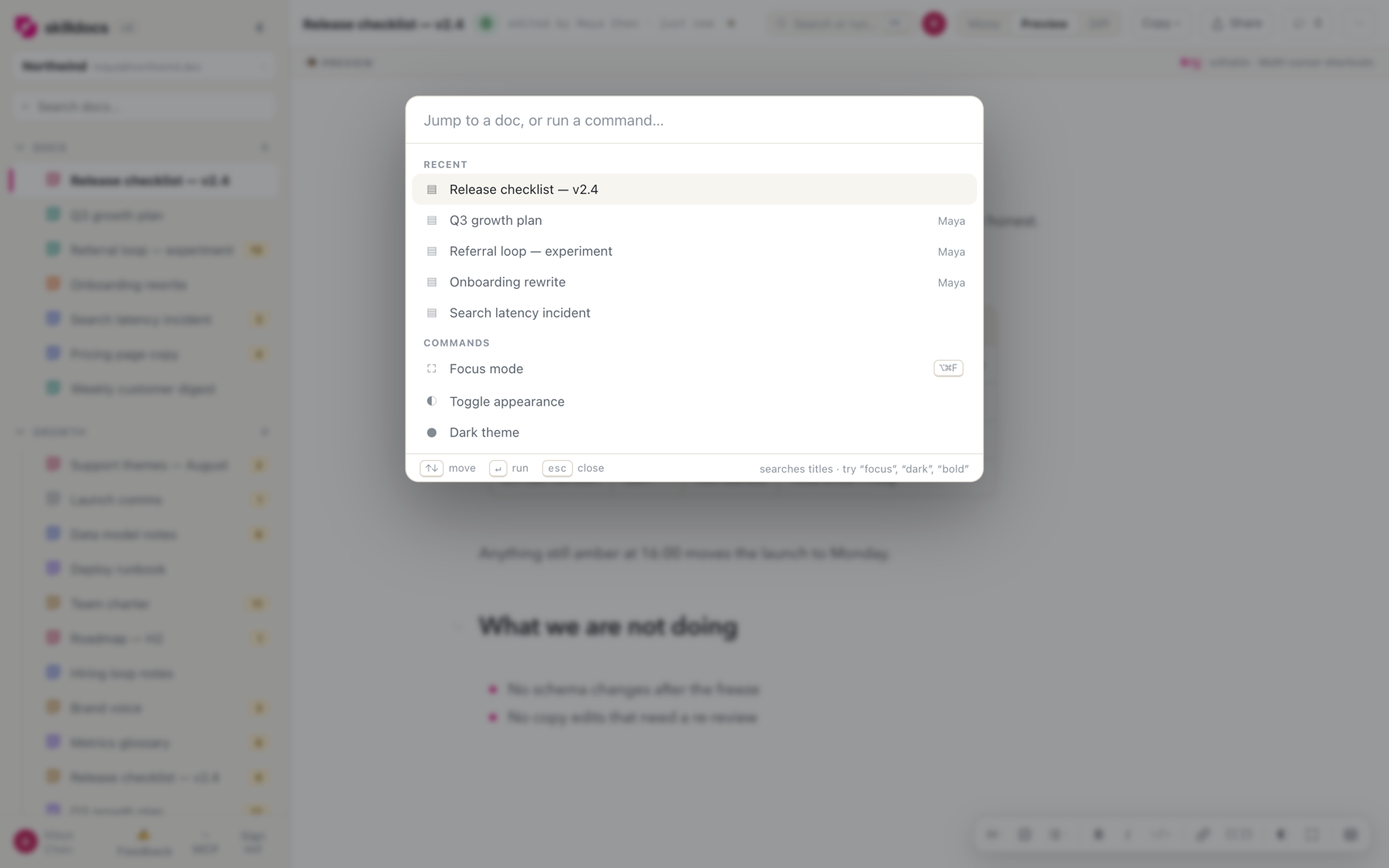
One grouped list rather than mode prefixes: jump to a doc, run a command, format the selection, or search the open document with snippets that scroll and flash. There's a Search or run… chip in the doc bar so it isn't folklore.
⌘K was insert-link first, and that muscle memory is worth keeping where it means something: with text selected it still wraps the selection in a link, and with no selection the binding declines so the event falls through to the palette.
Recents first, then commands. Typing filters commands, formatting and doc titles together.
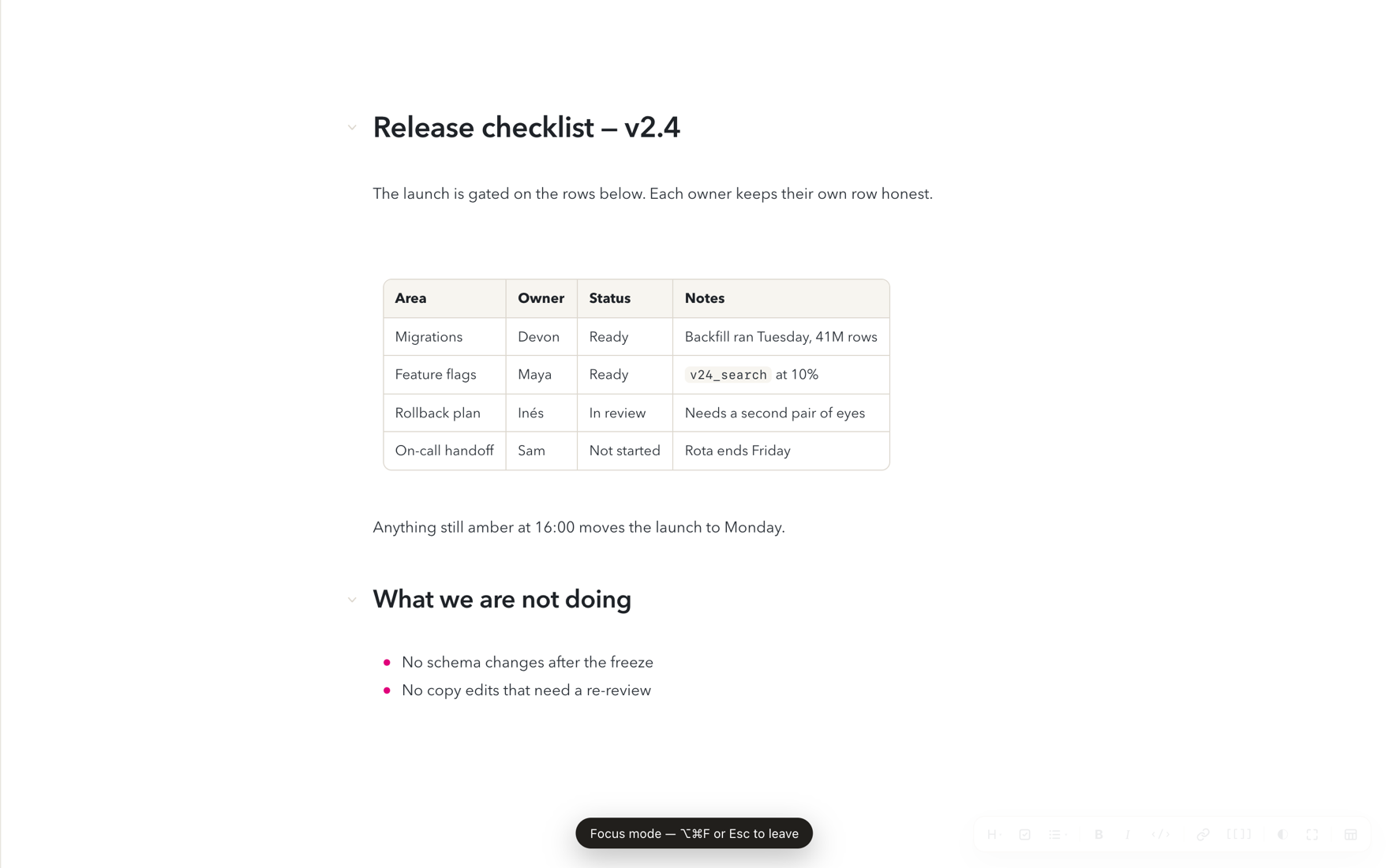
Focus mode on ⌥⌘F
Rails and the doc bar go, the document centres, and the bar comes back when the pointer reaches the top edge.
⌘. was rejected — Safari uses it to stop loading — as was ⌃⌘F, which is macOS's own Enter Full Screen.
Everything except the words. ⌥⌘F or esc to leave.
Dark theme
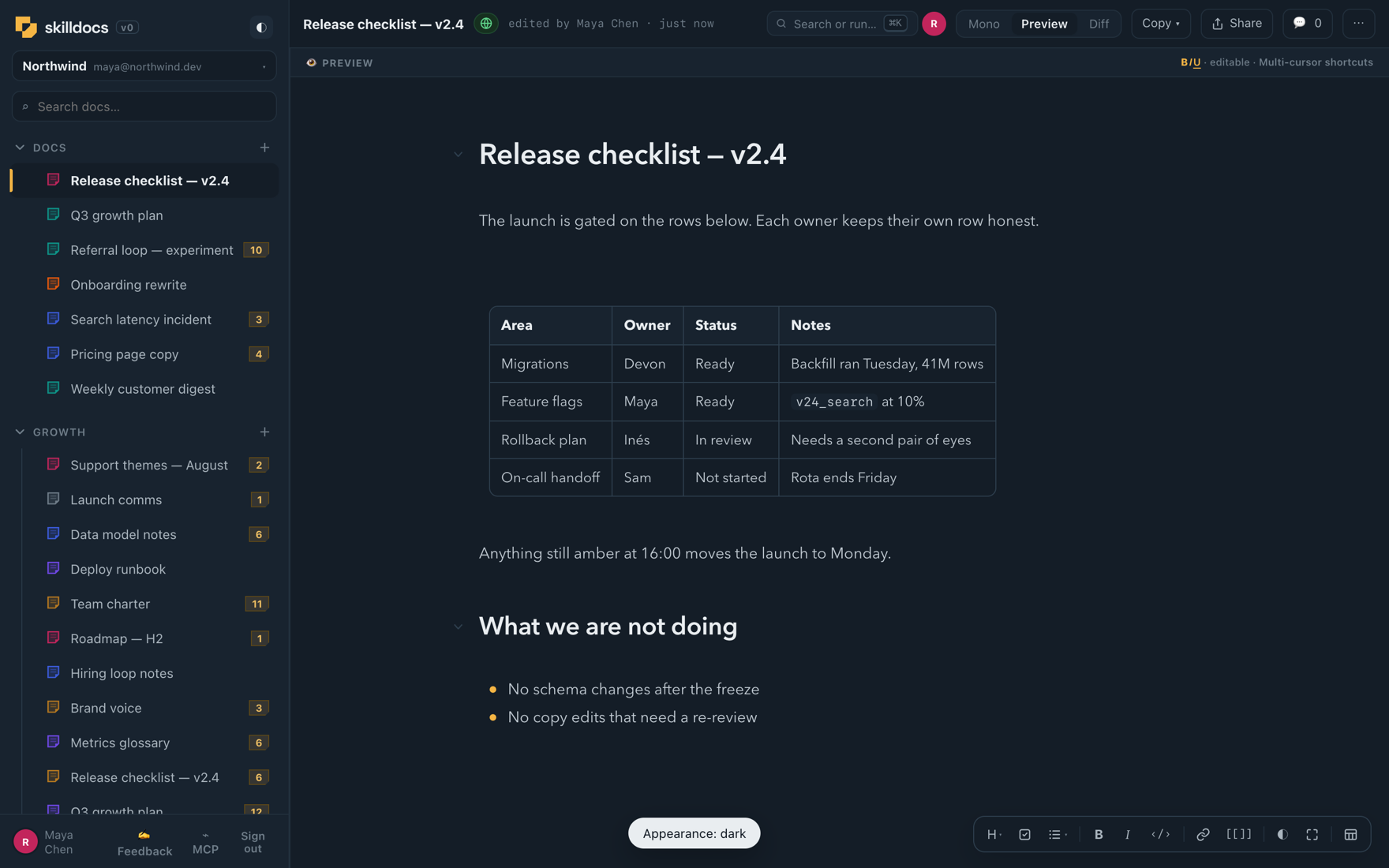
Toggleable from three places — the ◐ beside the wordmark, the ◐ on the style bar, and Appearance in the settings menu at the rail's foot. One state, three doors; each cycles Light → Dark → Match system, and Match system follows the OS live.
Getting there meant naming about seventy-seven colour literals in the stylesheet that had been written inline. The light values are unchanged — this pass only gave them names so a dark palette had something to override. The editor reads the same custom properties, so it follows without a second palette to maintain.
Rails, doc bar, editor and rendered table, all on the one palette.
Skill calls and MCP calls, counted separately
"Claude calls · 7d" was summing three different events, so a doc an agent merely read looked like a skill someone had run. The distinction already existed in the event stream; only the sum lost it. There are now two columns — Skill calls (Claude invoking it as a skill) and MCP calls (an agent reading or writing it over the API) — and both sort.
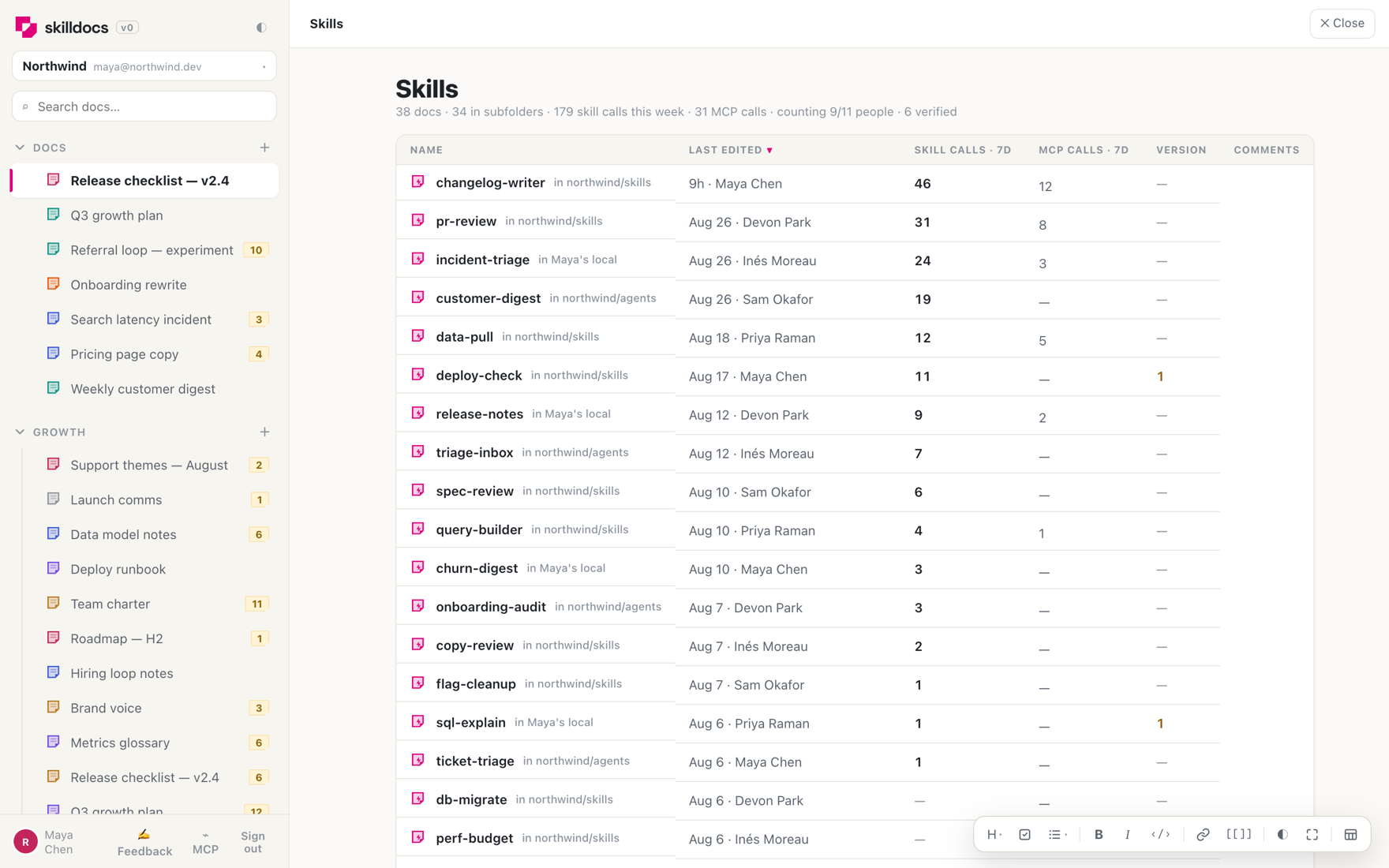
Clicking SKILLS in the rail now opens a page of its own: the union of every connected repo and everyone's local pushes, with the origin in the second column, which is what tells two same-named files apart once they're in one table.
The summary line leads with skill calls, then the adoption read: how many people are being counted, and how many of those are verified rather than claimed by git email.
Staleness over the same beacon — the listener sends a hash of the local skill file; if it differs from the doc's latest published version, the agent gets one short note, at most twice per version. Nothing ever writes a skill file for you
Six columns don't fit a phone, so MCP calls and Version are what drop at narrow widths
The comments rail sorts by document order, not by when a thread was opened
17 – 23 Aug
Folders, and counting the skills a team actually uses
Nested folders, and a folder view
Sections became real nested folders. The rail renders the tree with drag-to-file, folder re-parenting, spring-open on hover, right-click rename and delete, and a Move-to-folder picker. Moving or removing a folder carries its documents with it — it never strands them and never deletes them.
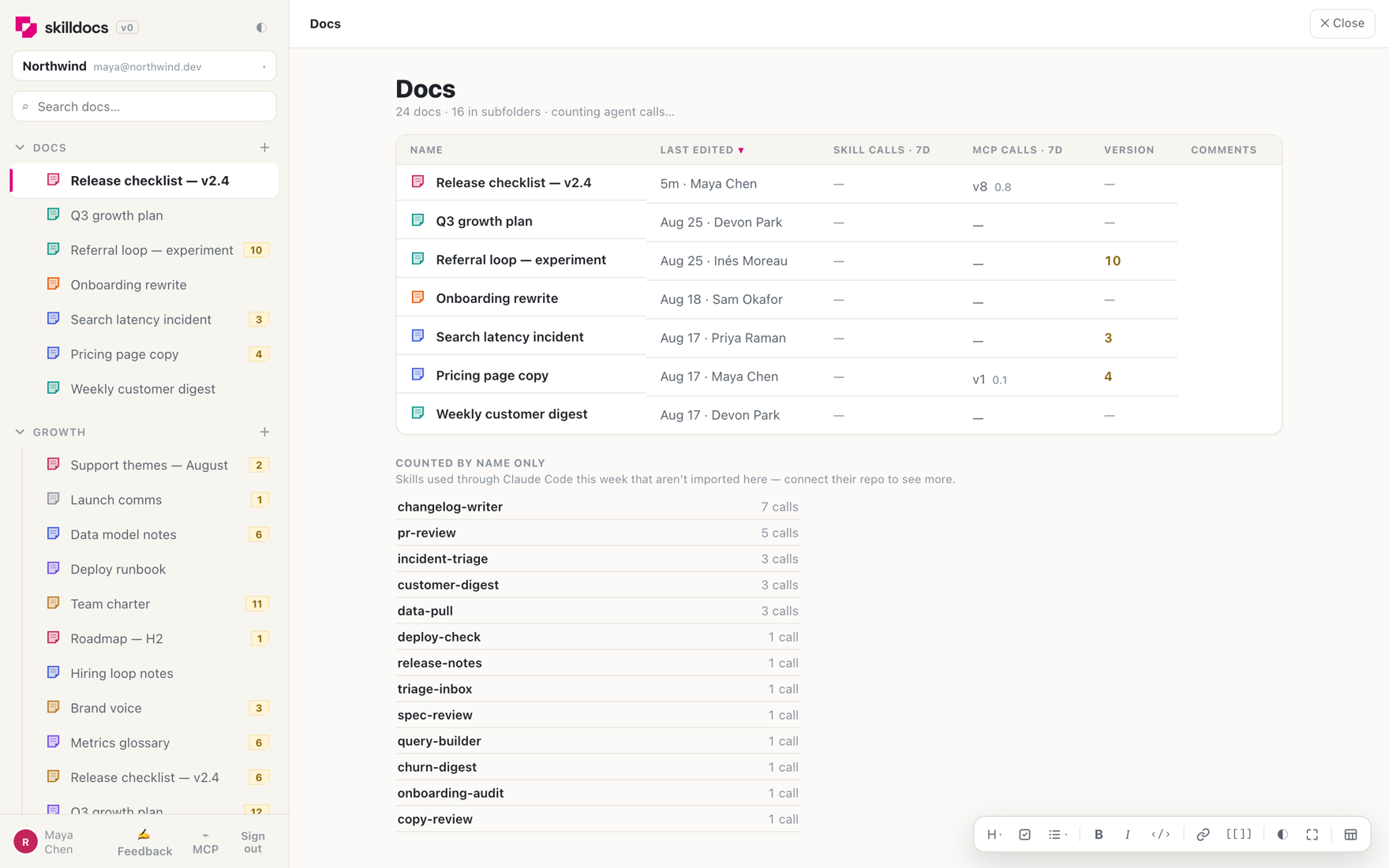
Clicking any folder title — a folder, the Docs header, a connected repo, or a repo subgroup — opens the whole subtree flattened into one sortable table: last edited first, with "in subfolder" hints, version, open comments and the agent-call counts.
Under the table: skills used through Claude Code this week that aren't imported here yet. Collected data is never invisible just because nobody connected the repo.
The skill listener: zero-setup counting for a whole team
A two-file hook in a repo starts counting which skills the team actually runs. A beacon without a token may claim a git email; the server maps that domain to a workspace and accepts the count only when the named repo is a connected source of that workspace. So merging the hook starts counting for everyone with no per-person setup, and random traffic can't write into a workspace's tallies.
Claimed beacons are tagged unverified and token beacons verified, which is where "counting 9/11 people · 6 verified" comes from. It sends the skill name, repo, git email and a timestamp — never prompts, arguments or file contents — and SKILLDOCS_LISTENER=off opts out at any time.
skilldocs_find, and pushes that file themselves
Every tool but one needed a doc id the agent already held, so the loop only worked inside a single session — come back tomorrow and there was no way to ask "which doc is this file?". skilldocs_find searches the workspace by title, by source filename, by folder, or by who last touched a doc. Called bare it lists every folder and its contents, which is how an agent resolves "my folder" without guessing at a name.
And a push now files itself: an agent can put a doc straight into a folder instead of always landing in the root.
10 – 16 Auglaunch week
One URL for every agent
MCP over HTTP — no install at all
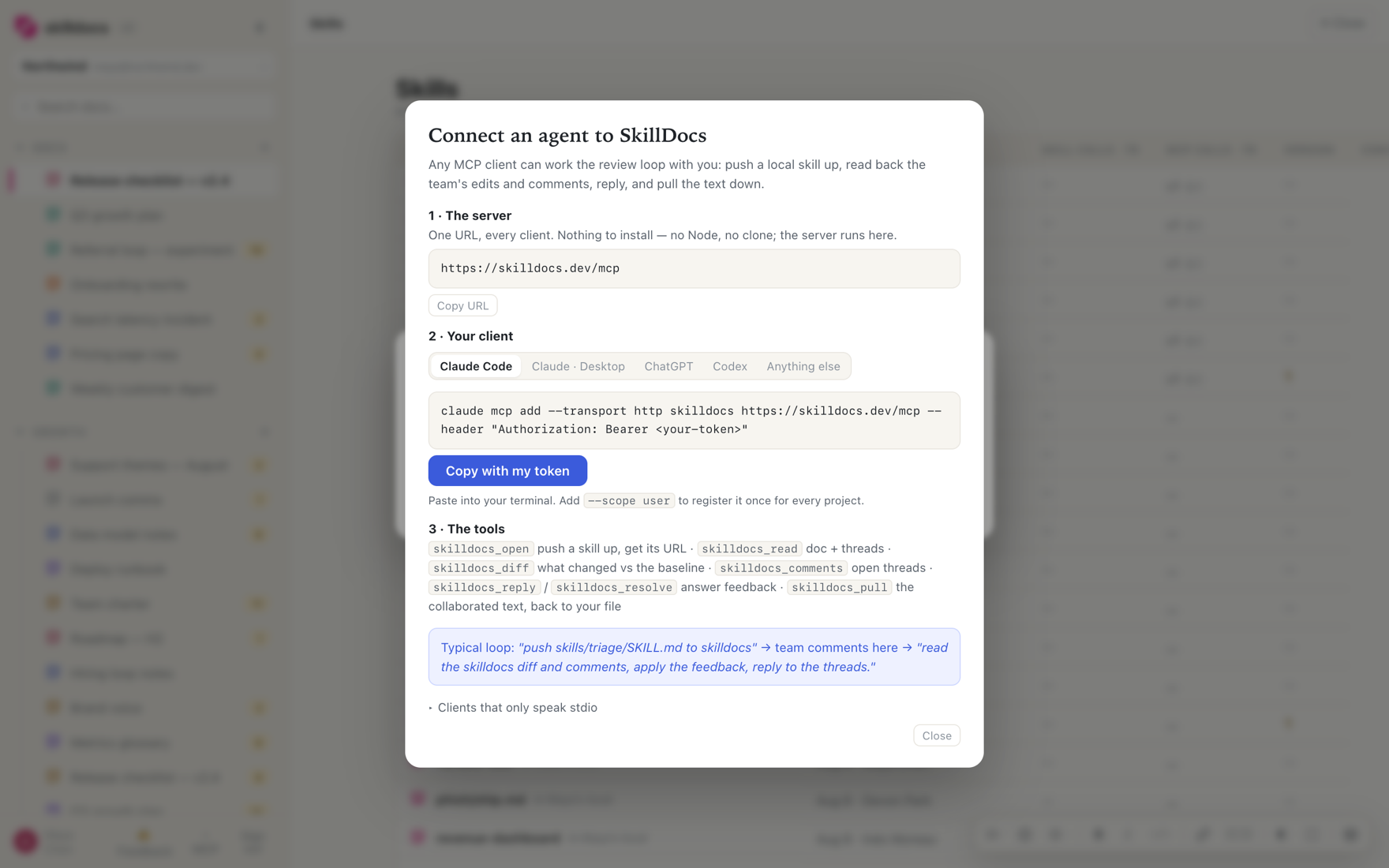
The MCP server used to mean a local process. Now the endpoint lives at skilldocs.dev/mcp: no Node, no npx, no clone, and it works in any MCP client rather than only in Claude Code. Tool names are identical across both transports — they live in prompts and transcripts, and an agent shouldn't have to learn a second name for the same thing on a different wire.
One URL, five clients. The panel writes the command for whichever one you pick.
OAuth, so no token travels through a shell
Taking a bearer token in a header meant a year-long workspace credential went through a shell command and into history — and it meant ChatGPT and the claude.ai connector couldn't authenticate at all. SkillDocs is now its own authorization server as well as its resource server, to the MCP authorization spec: discovery documents, dynamic client registration, a consent screen, the lot. Connect by clicking Allow.
The SkillDocs plugin
Because setup was already one paste, the plugin isn't about install ergonomics. What it does that nothing else can is ship a SKILL.md alongside the tools: an agent that registers the endpoint otherwise gets seven tool descriptions and no notion of the loop they belong to — that pushing a doc up is how you get review, that a thread quoting text the diff already changed is one piece of feedback rather than two, that resolving a thread you didn't act on destroys the record.
Import a whole repo by pasting its URL
Paste anything GitHub-shaped — owner/repo, a repo URL, a /tree/ link — and SkillDocs scans the whole repo for markdown, then shows you the folders to choose from with everything already checked. A repo the anonymous probe can't read pivots into a four-step token walkthrough instead of dead-ending, and a token already stored for that repo is reused server-side, so reconnecting never re-asks.
Comments that survive the edit underneath them
A thread used to remember only its quoted words plus an occurrence index, and every client re-searched the document to place the highlight — so editing inside the quote orphaned the comment, and two people editing at once could briefly disagree about which occurrence a thread meant. Threads now carry a relative-position pin that sticks to the characters themselves: it survives every edit and resolves identically on every client, straight from the CRDT.
Also this week
Tables render in the editable preview — pipe soup became a real bordered table, with the source shown above it while your caret is inside
A phone pass — menus stay on screen, Share is back, no more focus-zoom on tap, and the collapsing URL bar stops eating the top row
Drop a .md file anywhere in the rail to import it; paste or drop images into either pane
Hyperlinks act like hyperlinks in the editable preview, and markdown escapes stop showing their backslash
Launched · 12 Aug 2026
What was already there on the day
For anyone arriving now: the launch build was not a skeleton. It shipped with —
An editor that renders as you type — one surface, not a split screen, with the raw markdown revealed just-in-time around your cursor
Real multiplayer — a CRDT document with live named cursors, selections, follow mode and workspace-wide presence
Anchored comment threads, exportable as markdown alongside the document for handing straight to an agent
Workspaces — your work domain is your team, self-serve, no invites
Version history and diffs, with a published baseline that reviews are measured against
The agent loop — push a skill up, get it reviewed by humans, read the diff and threads back down
 SkillDocs